> ## Documentation Index
> Fetch the complete documentation index at: https://docs.denari.com/llms.txt
> Use this file to discover all available pages before exploring further.
# Edit documents
> Annotate PDFs and edit spreadsheets and Word files in place, without downloading and re-uploading.
You can edit a document inside Denari. No download, no re-upload, no lost version.
## Open the editor
Click the pencil (**Edit document**) in the details pane header, or open the document page and click **Edit**.
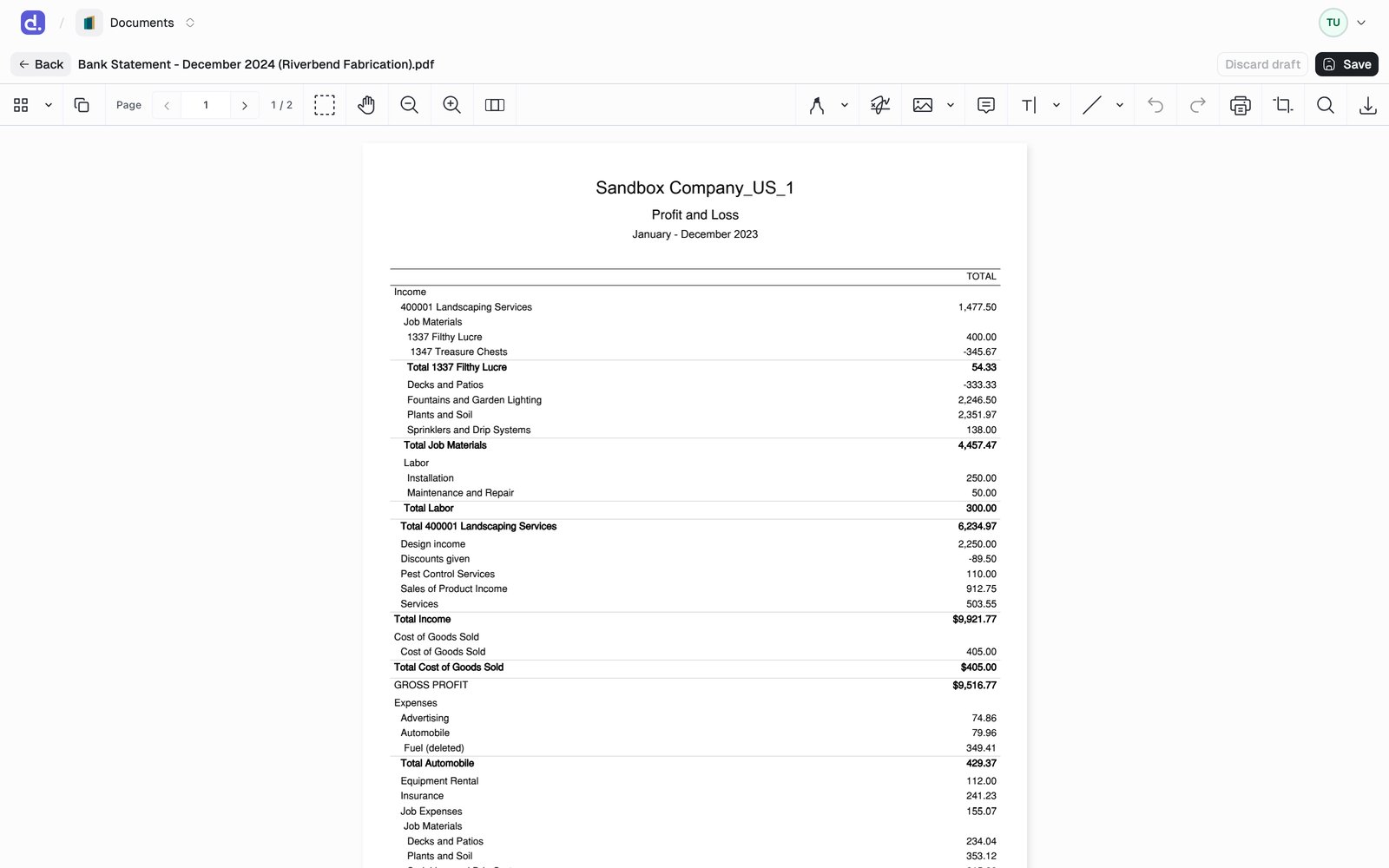 | File type | Editor |
| - | - |
| PDF, TIFF | Annotate and highlight, add text, shapes, images, and comments, and crop pages |
| Excel `.xlsx` | Full in-app spreadsheet editor |
| Word `.docx` | In-app document editor |
For anything else, use **Edit in Desktop app** from the `...` actions menu to open the file in its native Windows application.
## Save your work
* **Save** writes your changes as a new version of the document and returns you to the view. See [Versions](/documents/versioning).
* **Discard draft** throws away unsaved changes.
* Unsaved changes are cached in your browser, so a reload or a closed tab does not lose them. The draft is tied to the version you started from.
## Locking
Opening the editor **locks** the document so nobody overwrites your work.
* Other users still see, preview, and download it. Only edits are held.
* A chip in the header shows the lock: **Locked by you** with an **Unlock** action, or **Editing · {name} · expires {time}** when a colleague holds it.
* The lock renews itself while your editor is open and releases when you leave, so an abandoned session frees up on its own within about 15 minutes.
* Admins can **force-unlock** a document whose lock was left behind.
If a replacement file arrives while you hold the lock, it waits as a
**pending** version instead of overwriting you. Denari prompts you to review
it when you release the lock.
Locking is also available on its own. Use **Lock** in the `...` actions menu
to reserve a document before you start working on it outside Denari.
This documentation is built and hosted on [Mintlify](https://mintlify.com), a developer documentation platform.
| File type | Editor |
| - | - |
| PDF, TIFF | Annotate and highlight, add text, shapes, images, and comments, and crop pages |
| Excel `.xlsx` | Full in-app spreadsheet editor |
| Word `.docx` | In-app document editor |
For anything else, use **Edit in Desktop app** from the `...` actions menu to open the file in its native Windows application.
## Save your work
* **Save** writes your changes as a new version of the document and returns you to the view. See [Versions](/documents/versioning).
* **Discard draft** throws away unsaved changes.
* Unsaved changes are cached in your browser, so a reload or a closed tab does not lose them. The draft is tied to the version you started from.
## Locking
Opening the editor **locks** the document so nobody overwrites your work.
* Other users still see, preview, and download it. Only edits are held.
* A chip in the header shows the lock: **Locked by you** with an **Unlock** action, or **Editing · {name} · expires {time}** when a colleague holds it.
* The lock renews itself while your editor is open and releases when you leave, so an abandoned session frees up on its own within about 15 minutes.
* Admins can **force-unlock** a document whose lock was left behind.
If a replacement file arrives while you hold the lock, it waits as a
**pending** version instead of overwriting you. Denari prompts you to review
it when you release the lock.
Locking is also available on its own. Use **Lock** in the `...` actions menu
to reserve a document before you start working on it outside Denari.
This documentation is built and hosted on [Mintlify](https://mintlify.com), a developer documentation platform.