> ## Documentation Index
> Fetch the complete documentation index at: https://docs.denari.com/llms.txt
> Use this file to discover all available pages before exploring further.
# Credit notes & voids
> You can't edit an issued invoice. You void it or you offset it with a credit note.
**You can't edit an issued invoice. You void it or you offset it with a credit note.** Issued invoices are legal documents with numbers in order and frozen contents, so history stays as it happened.
## Void
* Cancels the invoice.
* Only possible if no money has been applied to it.
* Its number stays used and shows as voided. It is never reused.
## Credit note
Use a credit note for an invoice that already has money against it, or when you only need to reduce part of it.
On the issued invoice.
Credit everything left, or enter amounts per line.
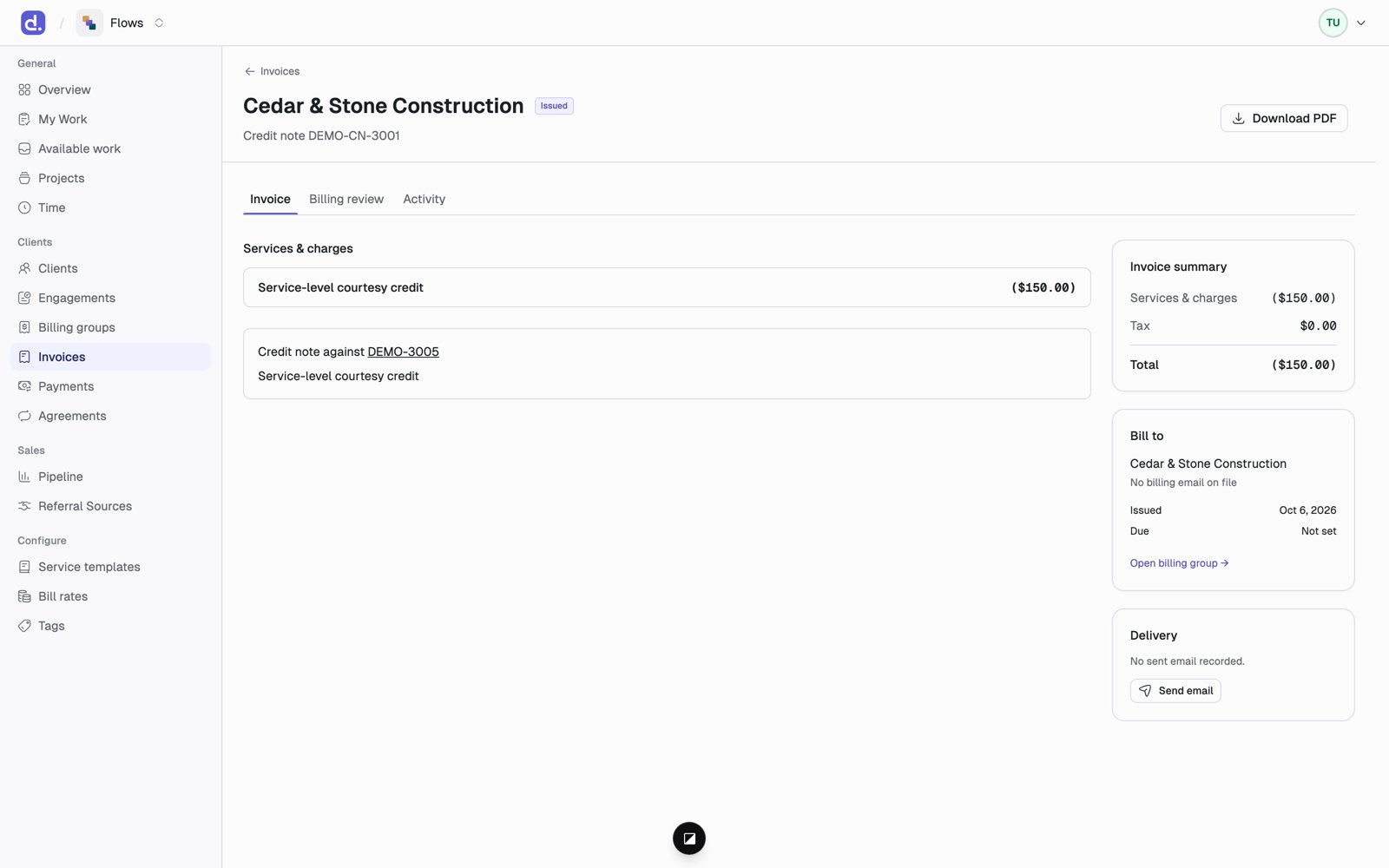 What happens:
* The credit note gets its own number, such as `DEMO-CN-3001`, and its own PDF.
* The original invoice stays as it was. Its balance goes down.
* Once an invoice is fully credited, its status becomes **Credit noted**.
* Both documents link to each other.
A credit note does not send the client a refund. Refunds show up in Flows only
when they come from Stripe.
This documentation is built and hosted on [Mintlify](https://mintlify.com), a developer documentation platform.
What happens:
* The credit note gets its own number, such as `DEMO-CN-3001`, and its own PDF.
* The original invoice stays as it was. Its balance goes down.
* Once an invoice is fully credited, its status becomes **Credit noted**.
* Both documents link to each other.
A credit note does not send the client a refund. Refunds show up in Flows only
when they come from Stripe.
This documentation is built and hosted on [Mintlify](https://mintlify.com), a developer documentation platform.