> ## Documentation Index
> Fetch the complete documentation index at: https://docs.denari.com/llms.txt
> Use this file to discover all available pages before exploring further.
# Drafts & review
> A draft gathers everything a billing group owes for a period, and you can change it freely until it is issued.
**A draft invoice gathers everything a billing group owes for a billing period, and you can change it freely until it's issued.** Rebuilding it updates the same draft. It never makes a second one.
## Make a draft
Drafts are made three ways:
* On schedule, if [scheduled billing runs](/flows/billing-periods#scheduled-billing-runs) are on.
* With **Prepare draft** on a billing period.
* From **Invoices → New draft invoice**. Pick who to bill and the period, then click **Generate draft invoice**.
### What goes on it
* Work that is ready to bill
* Scheduled charges from payment plans, subscriptions, and retainers
* Charges added by hand (fees and expenses, from the billing group's Services tab)
* Any account credit the client has, applied as a credit line
You can refresh a draft as many times as you like while the period is open.
## The Invoices page
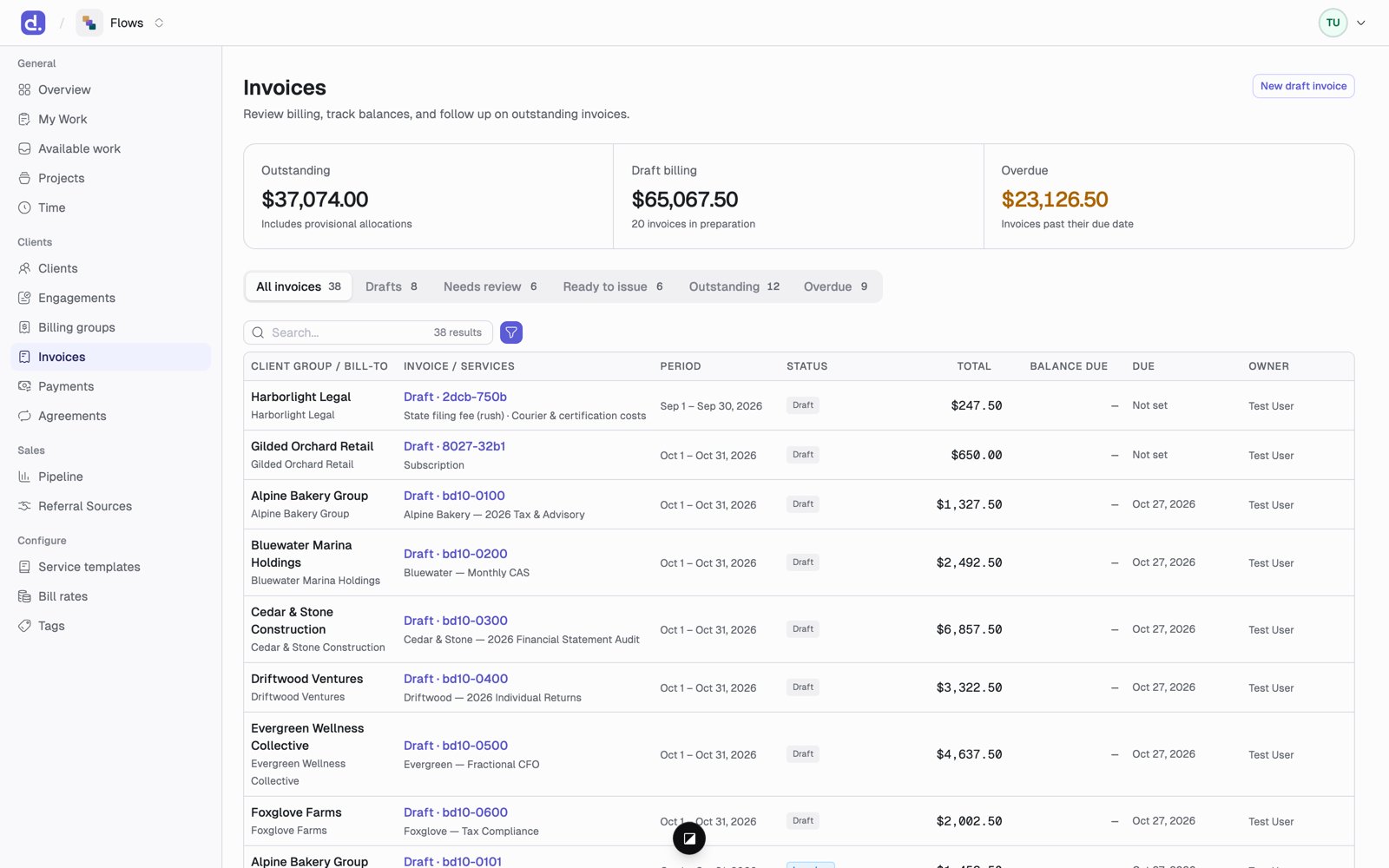
The **Invoices** page has queues to work through: **All invoices, Drafts, Needs review, Ready to issue, Outstanding, Overdue.** The cards at the top show what's outstanding, what's in draft, and what's overdue. On **Needs review**, the **Reviewer** column shows who has to sign off; the other queues show the billing group's **Owner**.
 ## What you can change on a draft
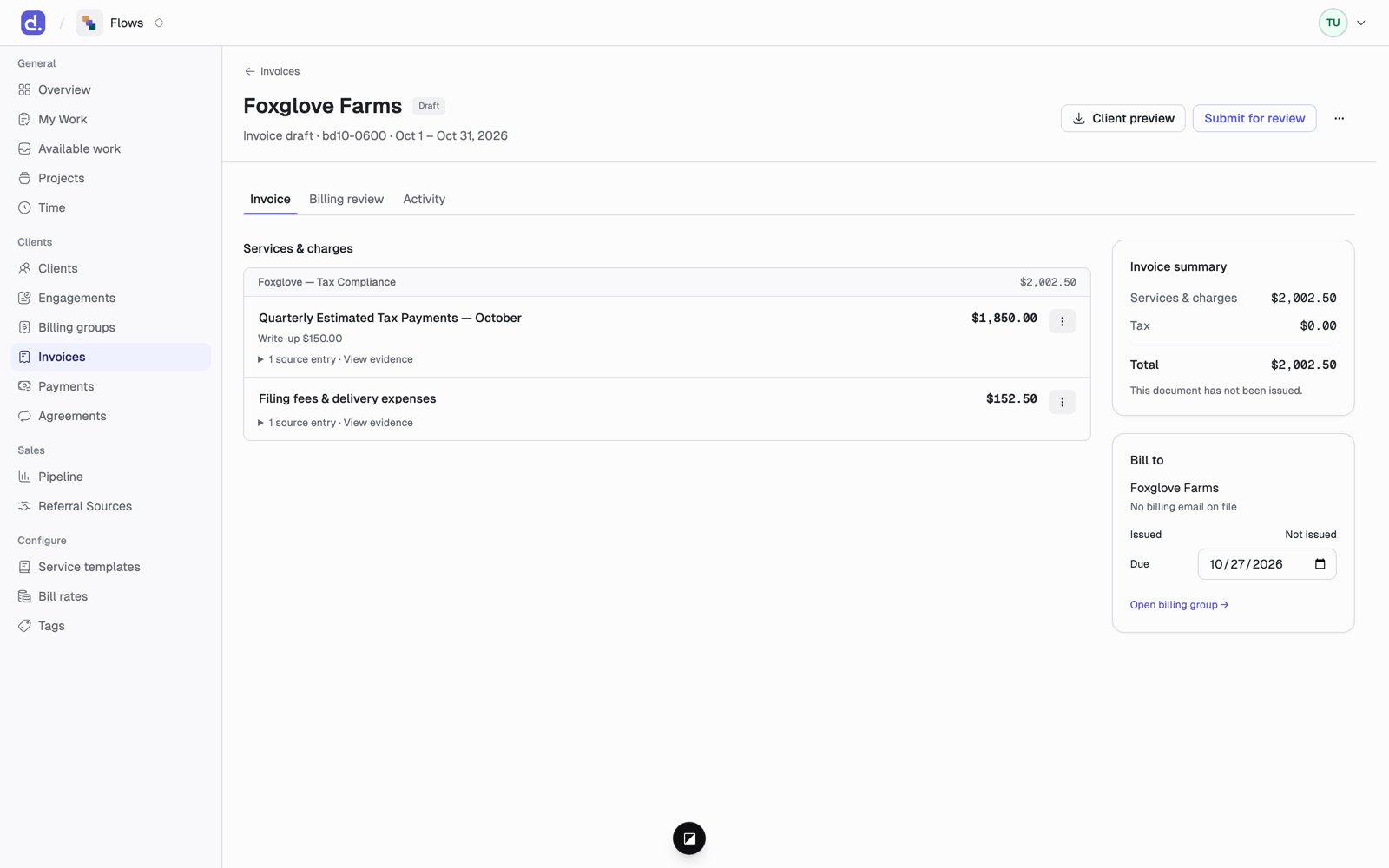 * **A line's wording or amount.** Lowering an amount records a write-down; raising it records a write-up.
* **View evidence** on a line shows the time entries and charges behind it.
* **How each section shows on the invoice:** **Detailed** (every line), **Subtotal only**, **Single line** (the whole section as one line), or **Hidden** (not printed, but still counted in the total).
* **Mark as memo:** a line that prints but doesn't add to the total, such as *Time at standard rates: \$6,400* above the actual charge.
* **The Due date.**
* **Hold off invoice:** keep an item off this bill, with a reason. **Release hold** brings it back.
## The Billing review tab
This tab is for the firm only, never the client.
* **A line's wording or amount.** Lowering an amount records a write-down; raising it records a write-up.
* **View evidence** on a line shows the time entries and charges behind it.
* **How each section shows on the invoice:** **Detailed** (every line), **Subtotal only**, **Single line** (the whole section as one line), or **Hidden** (not printed, but still counted in the total).
* **Mark as memo:** a line that prints but doesn't add to the total, such as *Time at standard rates: \$6,400* above the actual charge.
* **The Due date.**
* **Hold off invoice:** keep an item off this bill, with a reason. **Release hold** brings it back.
## The Billing review tab
This tab is for the firm only, never the client.
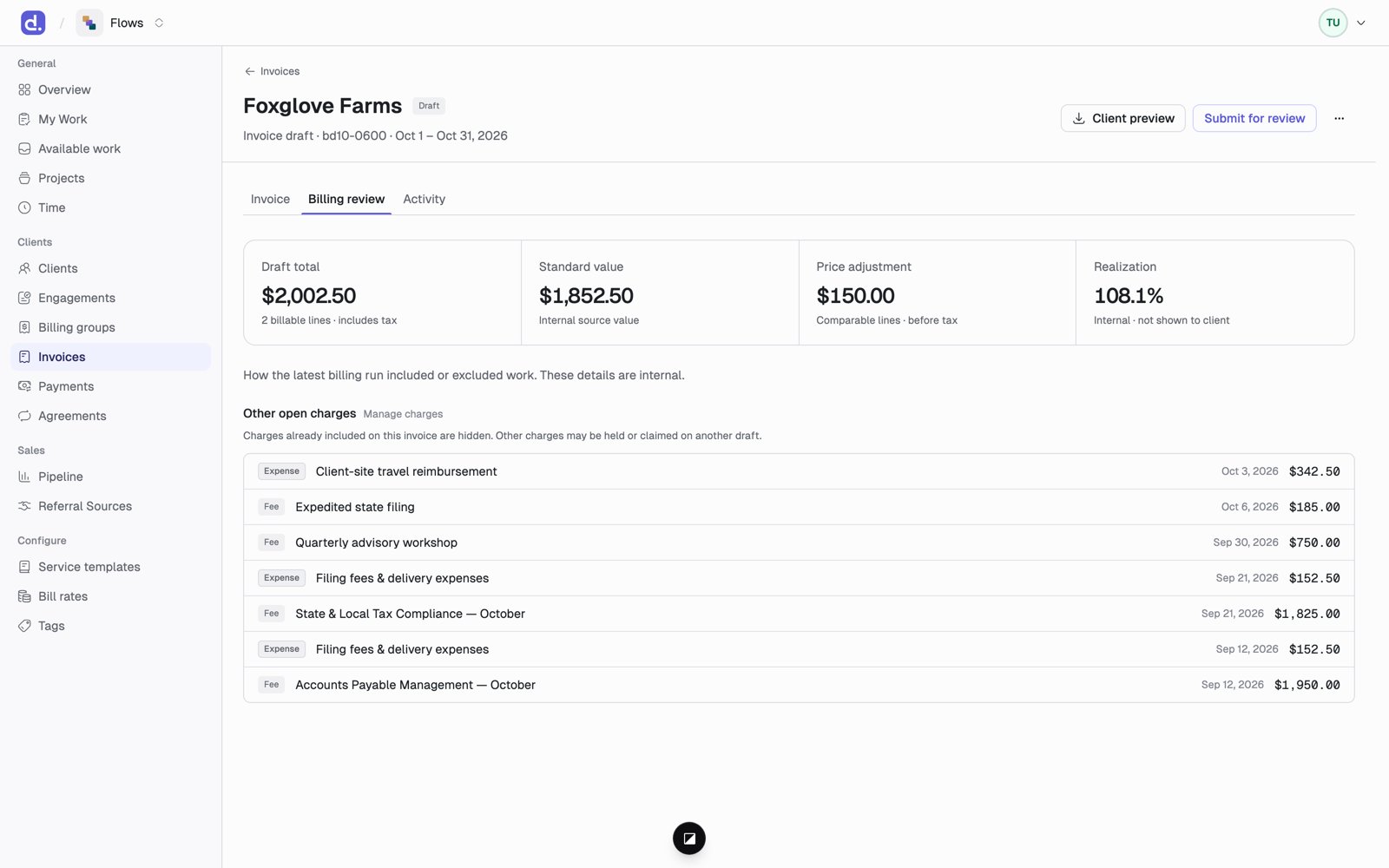 It shows the draft total, the standard value of the work, the price adjustment between them, and **Realization**: how much of the standard value you're billing. Below that, it shows how the latest billing run included or excluded work, and any other open charges that could go on a bill.
When something is left off the draft, the reason is shown:
| Reason | What it means |
| - | - |
| **Covered by plan** | Another arrangement already bills this work. Usually correct. |
| **Budget exhausted** | The project hit its budget, so a line was trimmed or left off. |
| **Held** | Someone chose to keep it off this bill. |
| **Below threshold** | There was nothing to bill: the amount came to zero. |
Nothing is ever dropped without a reason you can see here.
If two exclusive arrangements claim the same work, the run stops and shows
**Halted**. Fix the [scope](/flows/pricing#scope-stopping-double-billing) on
one of them and refresh the draft.
This documentation is built and hosted on [Mintlify](https://mintlify.com), a developer documentation platform.
It shows the draft total, the standard value of the work, the price adjustment between them, and **Realization**: how much of the standard value you're billing. Below that, it shows how the latest billing run included or excluded work, and any other open charges that could go on a bill.
When something is left off the draft, the reason is shown:
| Reason | What it means |
| - | - |
| **Covered by plan** | Another arrangement already bills this work. Usually correct. |
| **Budget exhausted** | The project hit its budget, so a line was trimmed or left off. |
| **Held** | Someone chose to keep it off this bill. |
| **Below threshold** | There was nothing to bill: the amount came to zero. |
Nothing is ever dropped without a reason you can see here.
If two exclusive arrangements claim the same work, the run stops and shows
**Halted**. Fix the [scope](/flows/pricing#scope-stopping-double-billing) on
one of them and refresh the draft.
This documentation is built and hosted on [Mintlify](https://mintlify.com), a developer documentation platform.