

The portals list
Every portal your firm has published to, one row per client entity, showing its name and document count. Click a row to open it.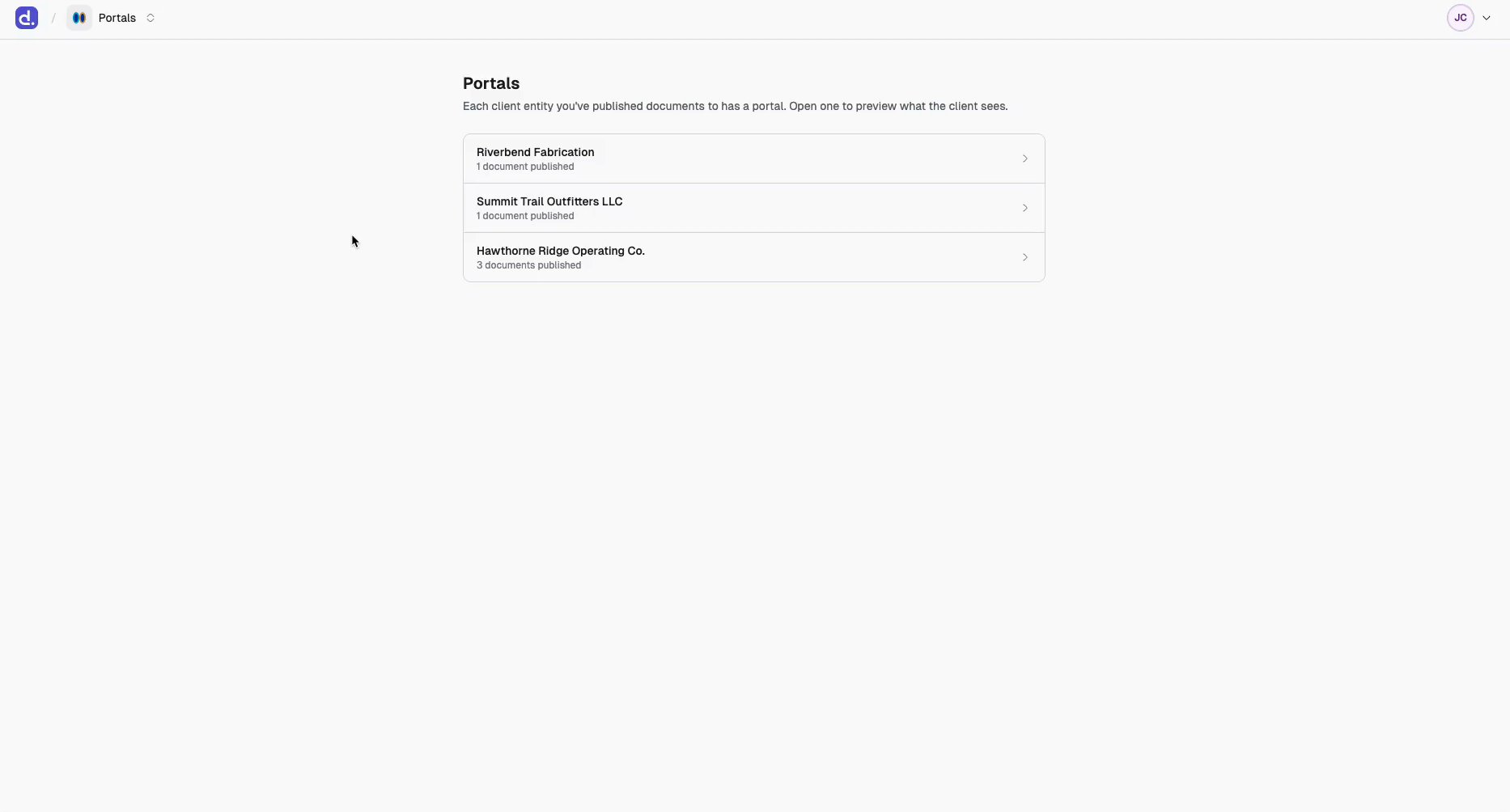
A portal page
One page, one client entity. Spend a minute here before you invite anyone.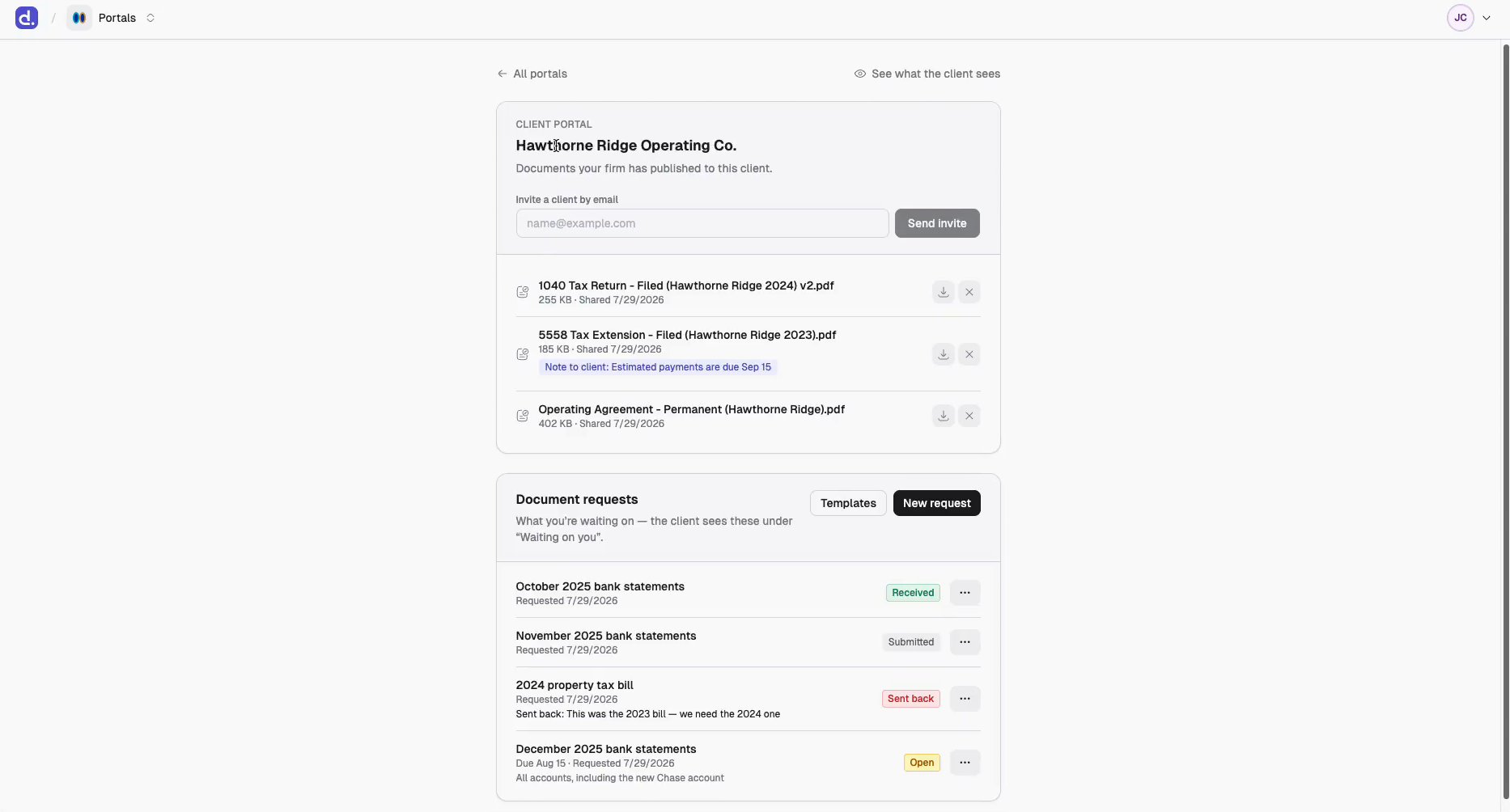
- The invite field, directly under the client entity’s name. The one step everything else depends on — see Invite a client.
- Published documents, each with any note the client sees. The ✕ unpublishes; the download button fetches the file.
- Document requests, what you’re waiting on. Each row reads Open, Submitted, Received, or Sent back. See Document requests.
See what the client sees
Top right of any portal page. Opens the client’s exact view — no test login needed.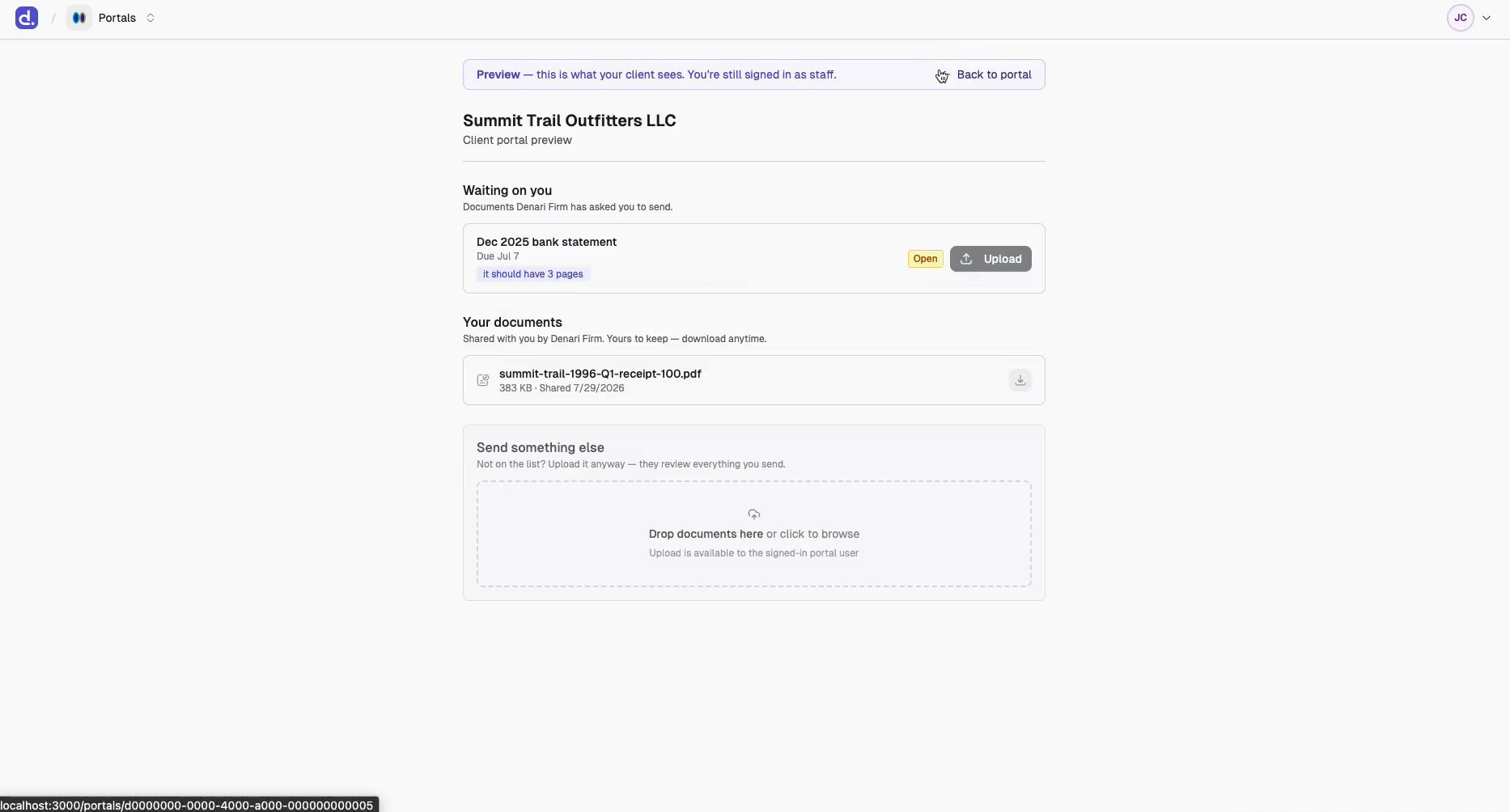
The preview shows one client entity. A client invited to several entities sees
all of them together on one page with filter chips — the preview can’t
reproduce that. See What the client sees.
Everything you can do here
There’s no upload, rename, or attribute editing inside a portal. Everything that changes a document happens in Documents; the portal only controls whether the client can see it.