

Your firm needs to have the Denari Documents component enabled in order to use
it. If you can’t see Documents in the product switcher and have questions,
please contact the Denari or IT admin at your firm.
The workspace
Select Documents from the product switcher in the top left.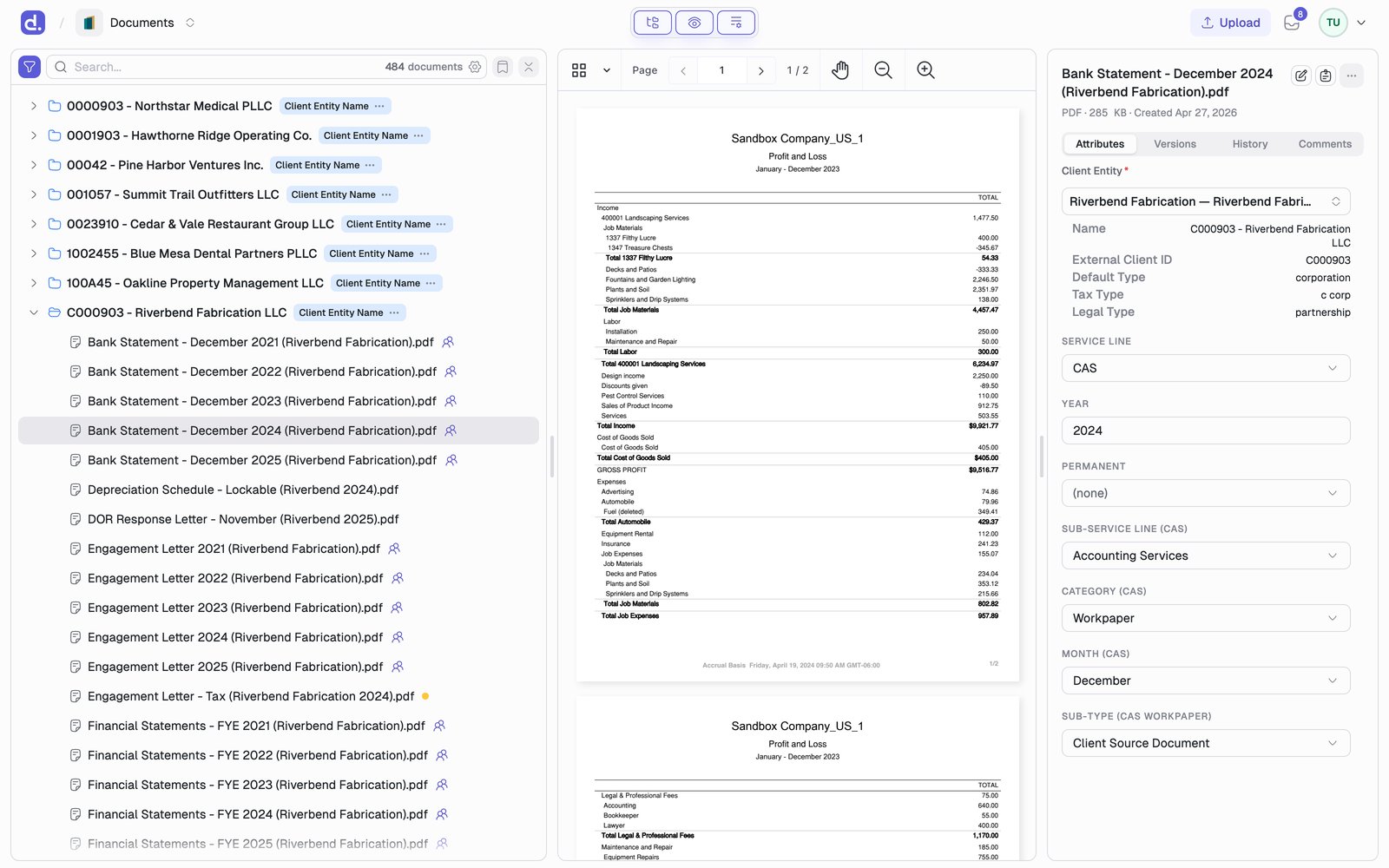
- List is your firm’s documents as a tree, grouped by attribute (for example Client, then Year).
- Preview shows the selected document.
- Details holds its attributes, versions, history, and comments.
Learn it in six steps
Search
⌘K for the client, F for attributes, the search box for everything else.Preview
Read a document without leaving the list.
Edit attributes
Set the fields that make a document findable.
Edit documents
Annotate PDFs and edit spreadsheets in place.
Versions
Replace files safely and restore any earlier version.
Upload vs Intake
Where a document waits before it reaches the library.
Documents is also where you share files with clients. Right-click a document
and choose Publish to client to put it in that client’s portal. See
Denari Portals.