

Open the editor
Click the pencil (Edit document) in the details pane header, or open the document page and click Edit.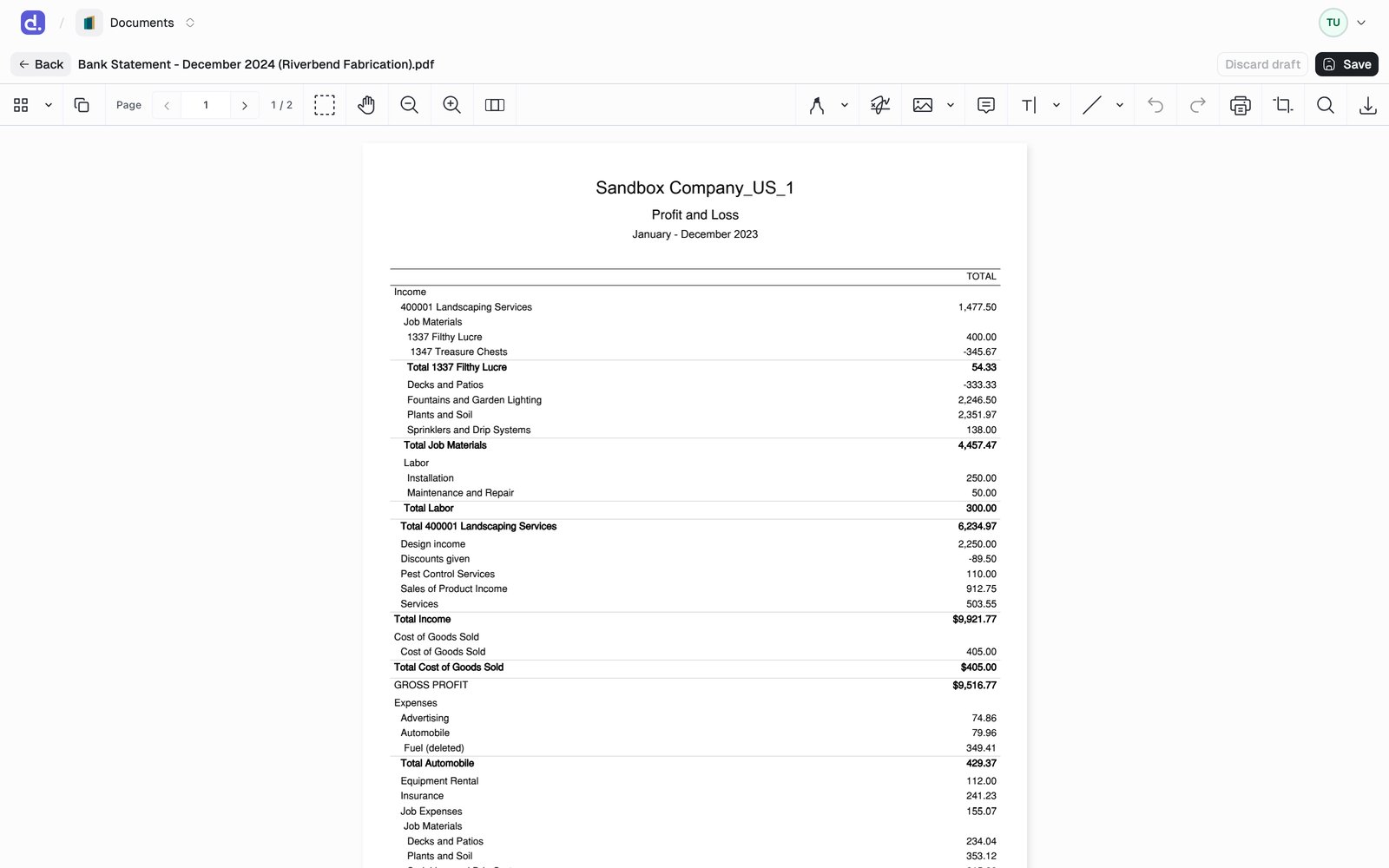
For anything else, use Edit in Desktop app from the
... actions menu to open the file in its native Windows application.
Save your work
- Save writes your changes as a new version of the document and returns you to the view. See Versions.
- Discard draft throws away unsaved changes.
- Unsaved changes are cached in your browser, so a reload or a closed tab does not lose them. The draft is tied to the version you started from.
Locking
Opening the editor locks the document so nobody overwrites your work.- Other users still see, preview, and download it. Only edits are held.
- A chip in the header shows the lock: Locked by you with an Unlock action, or Editing · · expires when a colleague holds it.
- The lock renews itself while your editor is open and releases when you leave, so an abandoned session frees up on its own within about 15 minutes.
- Admins can force-unlock a document whose lock was left behind.
If a replacement file arrives while you hold the lock, it waits as a
pending version instead of overwriting you. Denari prompts you to review
it when you release the lock.