

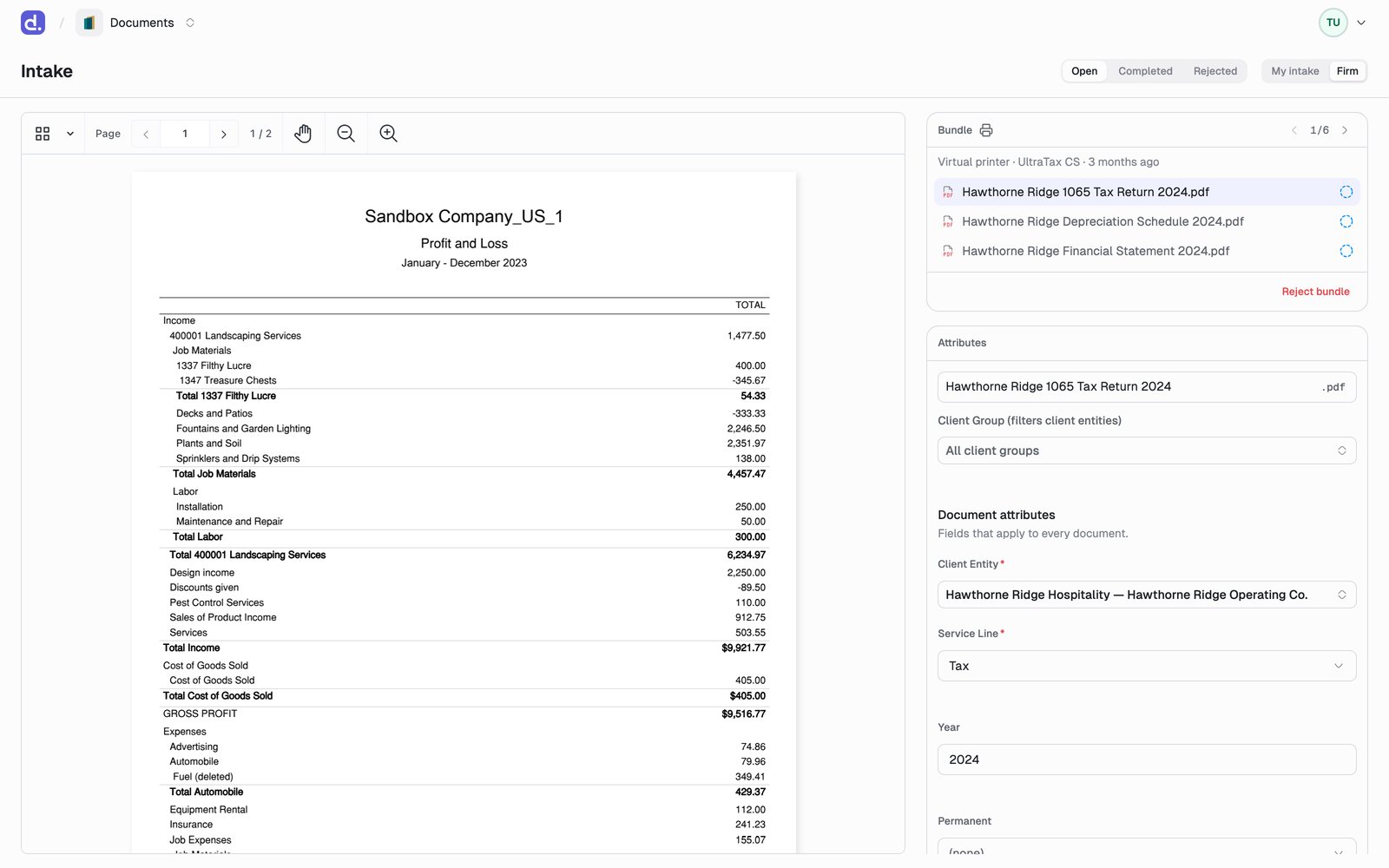
Bundles
Documents arrive grouped into bundles, one per batch, each stamped with its provenance: Virtual printer · UltraTax CS, Client portal, Email, Fax, or Manual upload. Step between bundles with the arrows in the bundle card header.A Client portal bundle is something a client uploaded themselves. Nothing
a client sends is filed automatically — it waits here like any other intake.
See Document requests.
Tabs and views
- My intake is every bundle you own, such as what you printed to Denari yourself.
- Firm is everything else: machine-ingested bundles, client portal uploads, and colleagues’ bundles.
Triage a bundle
1
Pick a document
Select a document in the bundle card. It loads in the preview on the left.
2
Name it and set its attributes
Edit the filename inline, choose a client group to narrow the entity list,
then fill in Client Entity, Service Line, Year, and any fields
those choices reveal. The intake editor saves as you type, so there is no
Save button here.
3
File or Ignore
File sends the document to the library and moves you to the next one
needing review. Ignore skips it (a cover page, a duplicate) and you can
un-ignore it later.