

The one thing worth understanding
Most AI chat tools predict an answer. Answers writes a program and runs it. Every conversation gets a private, sandboxed computer. Ask for last quarter’s realization by partner and it writes code, queries your data, reads the real result and tells you what it found. Ask for a spreadsheet and it builds one. Three things follow:The numbers are real
Totals come from a query against your data, not from a model’s recollection of it.
It produces files
Workbooks, Word documents and PDFs land in the conversation, ready to download, with the scripts that built them.
It can act, so it asks
Sending, deleting and paying pause for your approval. See Tool Permissions.
Your first conversation
Open Answers from the sidebar, type a question, press Enter. If you want somewhere to start, the suggested prompts under the greeting are live, so clicking one sends it.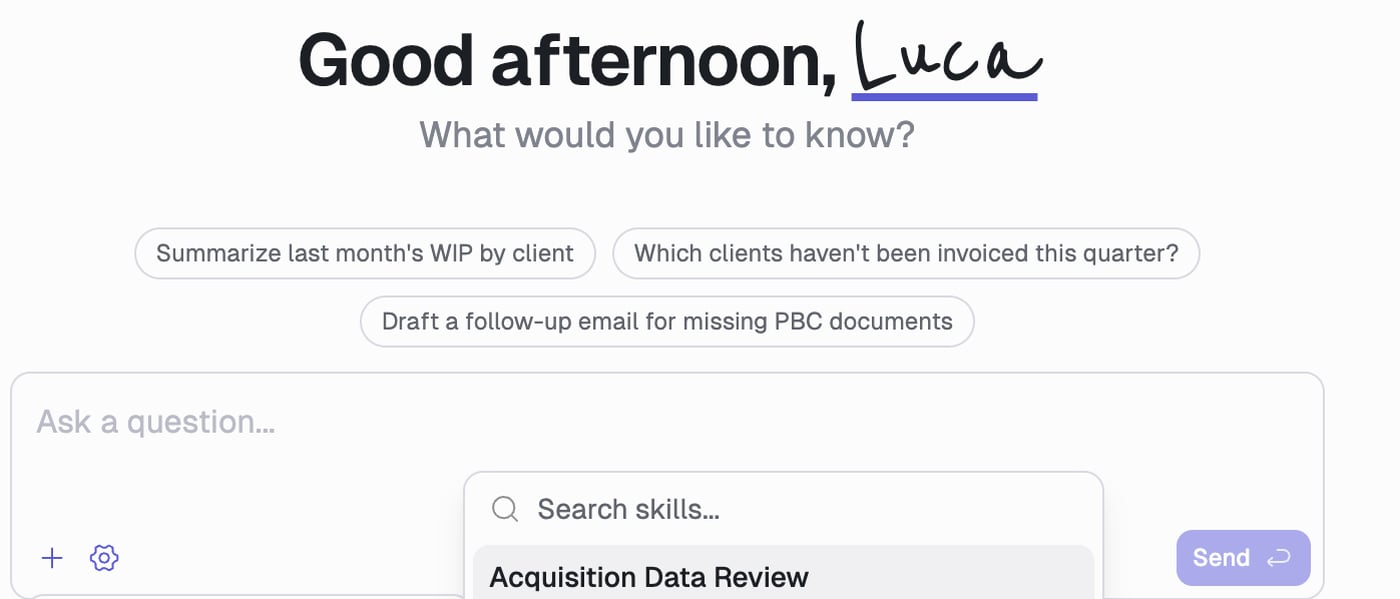
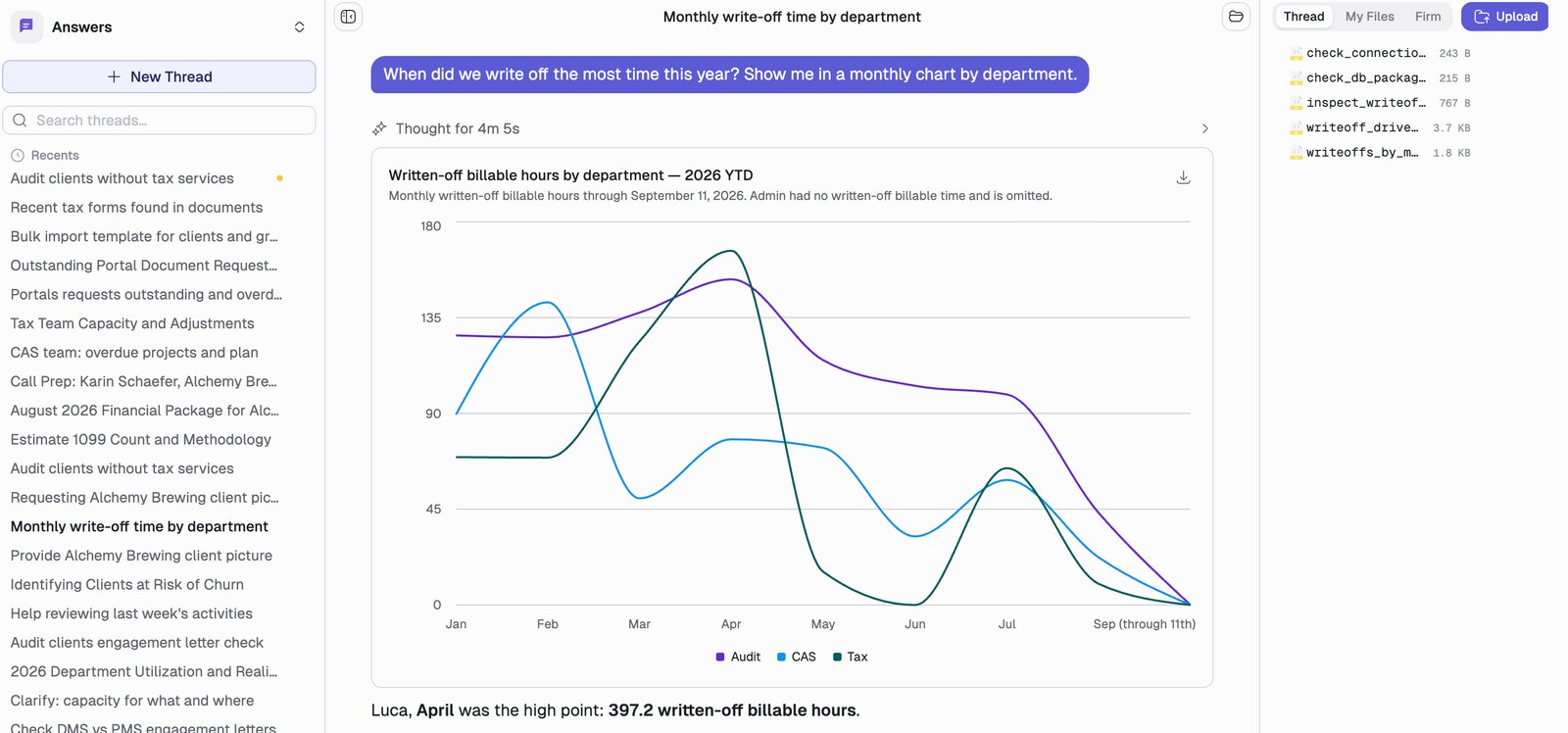
- It led with the answer rather than leaving you to read it off the chart.
- The caption says Admin was left out, and why. When Answers makes a judgment call about your data, it says so. Expand Thought to see every step.
You cannot send a second message while a run is in progress. Wait for the answer, or press Stop first.
The controls
Two buttons sit next to the message box.The + menu
Everything you give Answers access to for this message:
Every connector is on by default, and they switch back on each time a thread loads, so a connector you turn off stays off only for the message you are writing. Turning one off is a useful way to force a question at a specific source.
Model settings
The gear icon holds two controls:- Reasoning shows the model’s thinking as it works. Useful when you want to see how it reached a number.
- Effort trades speed against depth: Low, Medium, High, Max. Medium is the default and is right for most questions. Raise it for multi-step analysis across several systems; lower it for quick lookups.
Getting better answers
Say what the answer is for
Say what the answer is for
“Billable hours by department for Q3” gets a table. Adding “I’m presenting to the partner group on margin” gets the comparison that makes it mean something.
Iterate instead of restarting
Iterate instead of restarting
Follow-ups are cheap and keep the context. “Break that down by quarter”, “drop anyone under 100 hours”, “now chart it”.
Push back on it
Push back on it
If a number looks wrong, ask how it got there. Answers shows the query it ran, which is faster than rebuilding the question.
If you do it twice, ask for it as a skill
If you do it twice, ask for it as a skill
The moment you find yourself re-explaining the same process, say so:
That worked. Turn it into a skill so I don’t have to explain it again.Answers drafts the skill from the conversation you just had, shows it to you, and saves it once you confirm. You are not filling in a form, you are telling it to remember.The new skill is private to you. Once you are happy with it, switch it to firm scope on the Skills page and everyone gets it, done the same way every time.
Managing conversations
Each conversation is a thread in the sidebar, titled automatically. From a thread’s actions menu you can Pin it, Rename it, regenerate its title, Share it with a colleague, or Delete it. Deleting is permanent, so the app asks first. The sidebar is searchable, and a status dot tells you when a thread is working, has finished since you last looked, or hit an error. See Files & Threads for sharing and file handling.Where to go next
Use Cases
What this actually looks like in a working week, by role.
Connections
Connect QuickBooks, Outlook, SharePoint, HubSpot, or any MCP server.
Skills
Teach Answers your firm’s way of doing something. No code required.
Automations
Have it run on a schedule and send you the result.