

Done the same way every time
The steps, the order, the format. Consistency you cannot get by asking nicely.
Your senior people scale
The partner explains it once. Everyone else gets it right.
Found on its own
Nobody has to remember the skill exists. A matching request pulls it in.
Becomes an automation
Once it is a skill, scheduling it is one sentence. See Automations.
Creating one
The best moment is right after Answers has done the thing well, because the conversation already contains the process.That’s exactly right. Save this as a skill called “Monthly close checklist”.Answers drafts it from what just happened and confirms before saving. Steer it in the same breath (“have it always ask which client and period first”), or change it later from any conversation (“update the monthly close skill to skip cash reconciliation for basic-package clients”).
Every skill is created private to you, however it was made. Sharing it with the firm is a separate step on the Skills page, so nothing lands in a colleague’s Answers by surprise.
Prefer to fill in a form?
Prefer to fill in a form?
Answers → Skills → New skill. Four fields, and they are the same four Answers fills in for you.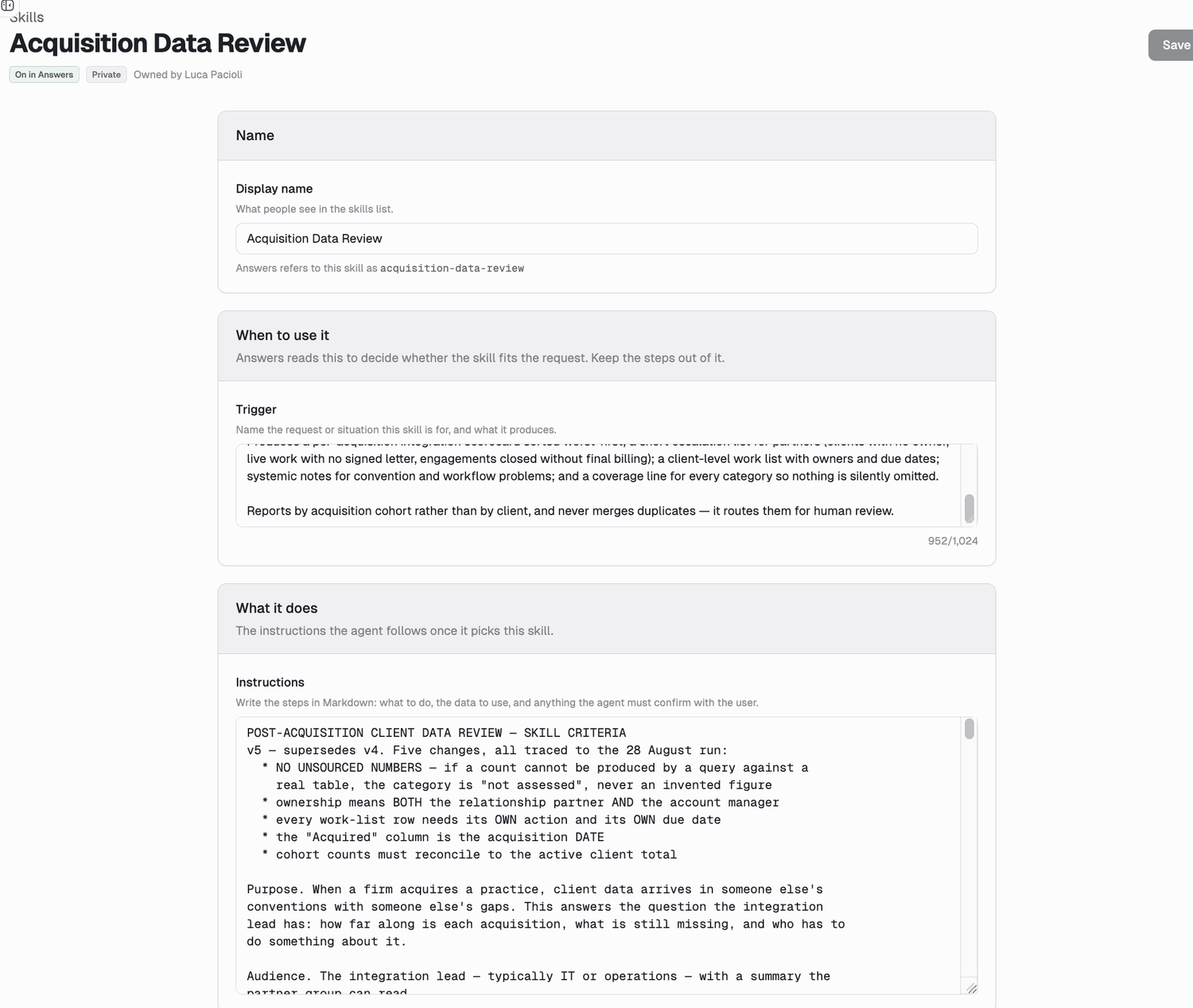
Trigger is the field that matters. It is the only text Answers reads when deciding whether the skill fits, so describe the request, not the steps, and include the words your team actually uses.Scope lives under Availability. A new skill always starts Private; change it by editing the skill once it exists.
How Answers picks one
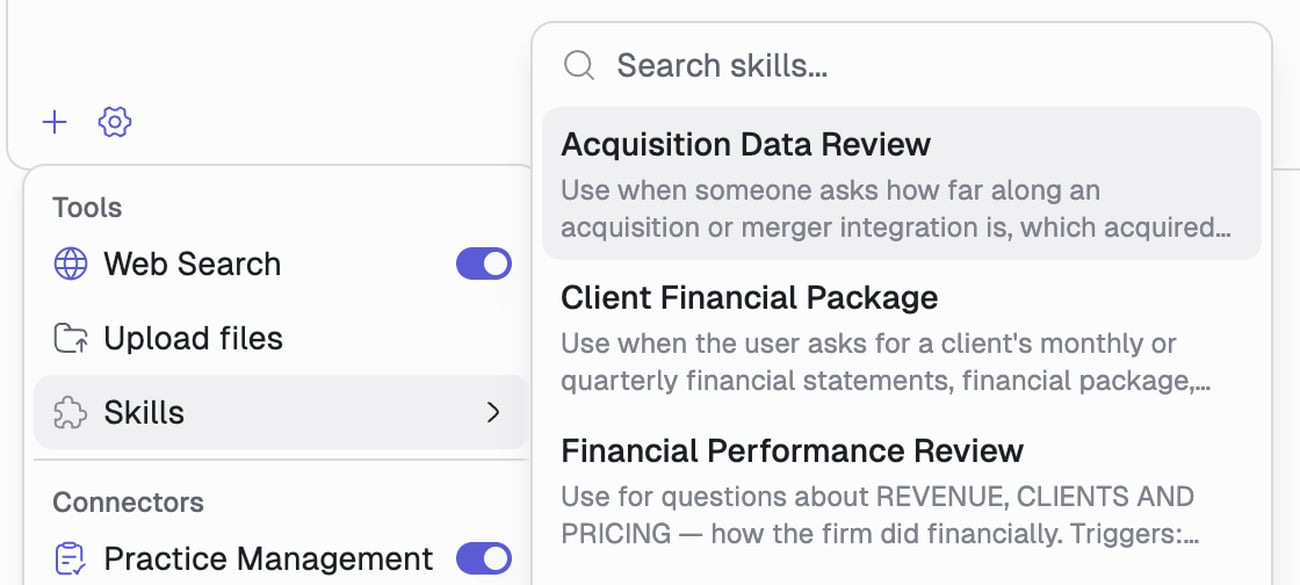
Each skill carries a description of when to use it. Answers matches that against your request and loads the one that fits. To choose deliberately, open the+ menu and pick from Skills.
What makes a skill good
Say when NOT to use it
Say when NOT to use it
The common failure is firing on the wrong requests. Add an exclusion: “Do not use this for quarterly reviews.” This is how the Denari skills that overlap stay out of each other’s way.
Put the judgment in, not just the steps
Put the judgment in, not just the steps
The value is in what a new hire gets wrong: which document wins when two conflict, what counts as close enough, when to stop and ask. Those are rarely in the conversation you are saving, so say them.
Say what the output looks like
Say what the output looks like
“A two column table, client and amount, sorted descending” beats leaving it open.
Keep it to one job
Keep it to one job
A skill that does three things matches poorly on all three. Split it.
Building your firm’s brain
The Denari skills below are generic by necessity. They know accounting; they do not know your firm. Firm-scoped skills are where that difference gets written down. Your firm’s knowledge currently lives in a partner’s head, a wiki nobody opens, a templates folder that carries the format but not the thinking, or review comments retyped every engagement. None of those reach you while the work is happening. A firm skill does, because Answers reaches for it on its own. Knowledge that is retrieved, not looked up. That is the whole difference.What is worth writing down
If a competent new hire would get it wrong and a partner would get it right, it belongs in a firm skill.Where to find your backlog
You do not need a documentation project. It shows up as onboarding (anything explained to every new hire), repeat review comments (the note you have left three times), and the question asked twice. Each takes a conversation, not an afternoon.It compounds
One firm skill saves one person some retyping. Ten of them change what the product is at your firm: Answers stops answering like a generically competent accountant and starts answering the way your firm answers, with your thresholds and your judgment about the edge cases. New hires inherit that on day one instead of absorbing it over two years.Two examples firms are running today
Two examples firms are running today
A monthly cover letter. Pulls the client’s address from the firm’s practice management system and the period and prior-year figures from QuickBooks Online, then renders the letter on the firm’s letterhead as a
.docx. It orchestrates three other skills; the firm-specific part is only the letterhead and house wording.A scope check. Answers “is this work in scope for this client?” from their signed engagement letter. Leads with yes or no, names any cap, and quotes the clause.Neither needed a developer. Both encode judgment that used to live with one or two people.Skills that ship with Denari
Denari skills are assigned to firms individually, so your firm will have some and not others. Ask Answers “which skills are available to me?” for your real list, and talk to your Denari contact about turning on anything else.Who can change a skill
The Skills page lists everything you can reach, filterable by All, Private, Firm, Global, with each skill’s scope and what it requires.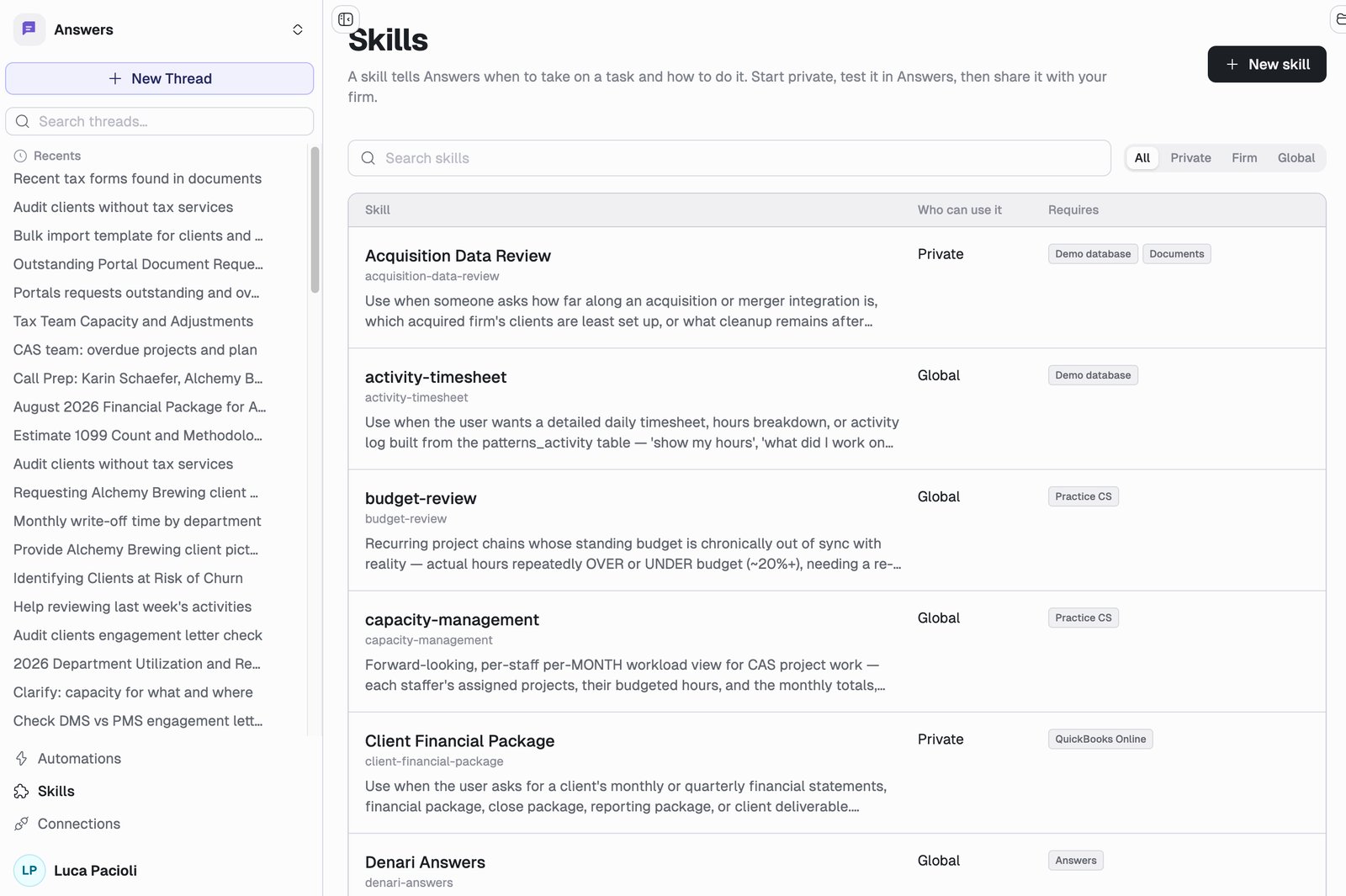
Next
Automations
Put a skill on a schedule and stop asking for it.
Connections
What your skills can reach.