

Import it
You import once, from the Trial balance tab on a new binder. After that, re-imports and updates happen from Settings.From QuickBooks Online
The fastest path, and the one to prefer.1
Click Sync
On the Trial balance tab, click Sync.
2
Connect to QuickBooks
Click Connect to QuickBooks and authorize the connection.
From a file
Denari accepts.xlsx, .xls, and .csv.
The first question the importer asks is how your trial balance is organized, because that decides the rest of the flow:
Every mode then runs the same middle steps:
1
Upload
One file, a file per class, or the two statement files, depending on the
mode.
2
Map columns
Standard headers (Category Name, Account Type, Type) map themselves.
Map the rest by hand, and mark any column to ignore. Tick any rows that
shouldn’t come in, such as subtotals and blank lines.
3
Verify categories
Check where each account landed in the hierarchy before anything is written.
4
Review
Per-class and statement imports add a final review of the combined total, so
you confirm the pieces add up before the import commits.
Auto-categorization
If your file has no account types or categories, Denari AI assigns them. Auto-categorized accounts are highlighted in purple so you can see exactly what was guessed, and you can override any of them. Treat the purple as a review queue, not as finished work.Reading the grid
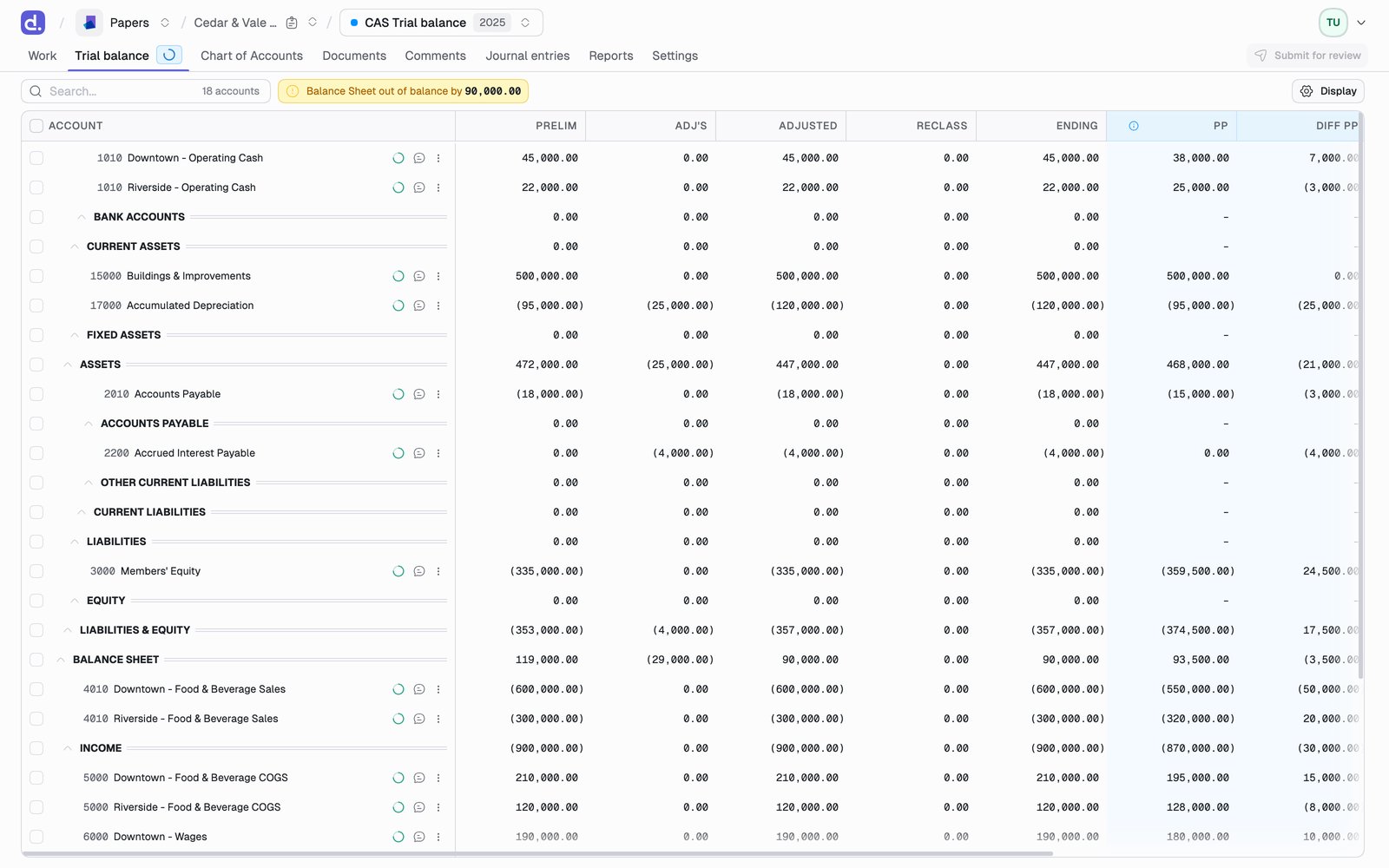
Where the binder carries them, CP, PCP, and PYCP add the current period, prior current period, and prior year current period preliminary balances. Show period dates swaps those abbreviations for the actual period dates.
Tax binders add Tax Adjustments and Tax Adj bal. See Tax trial balance.
Each row also carries its reconciliation status, its tick marks, and its comment icon. See Reconcile an account and Comments.
The row menu
The... on a row offers Reconcile account, Reconcile with children, Remove reconciliations, Mark as ignored, the tick mark picker, and Copy Excel link.
Copy Excel link
Copy Excel link on a row gives you a URL that returns that account’s balance, live. Paste it into Excel inside=WEBSERVICE(url), or into Google Sheets inside =IMPORTDATA(url), and the cell tracks the binder instead of going stale the moment someone posts an entry.
Pick which figure the link returns: ending balance, adjusted balance, prelim balance, previous period, previous year, or any of the current-period comparatives.
Show only what you need
Display holds both the column list and the presentation toggles.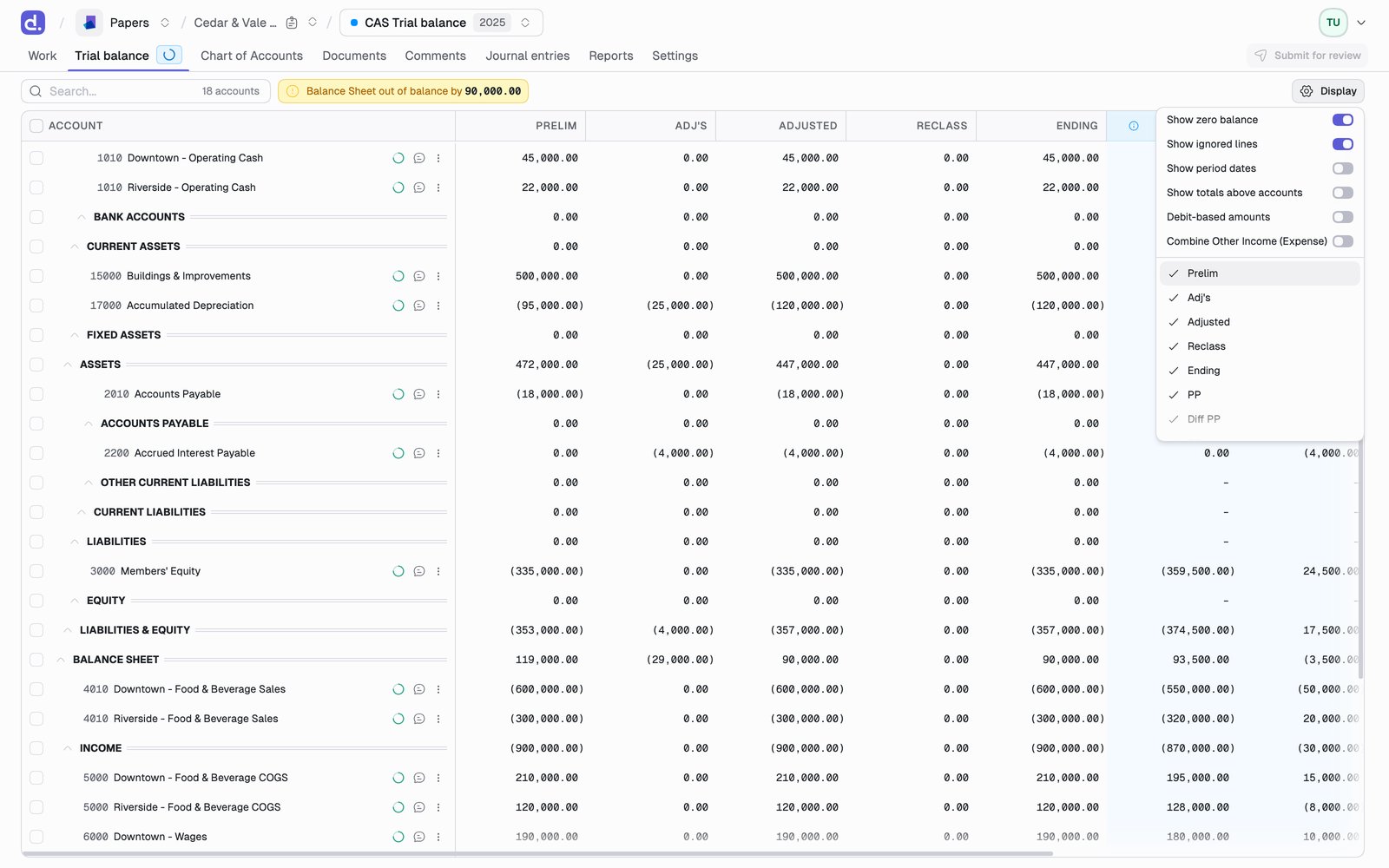
Columns are also reorderable by dragging their headers, and Display has a reset that puts the order back.
A parent with a zero balance but non-zero children still shows, so you never lose a subtotal.
Your column choices and your display preferences are remembered per
binder, so a habit you set on one engagement doesn’t follow you onto an
unrelated one.
The toolbar tells you two things
Search filters the grid and counts what matched, so you can jump to an account by number or name without scrolling. Balance Sheet out of balance by $X appears when the balance sheet doesn’t foot. It is the first thing to resolve, because nothing downstream will be right until it does. Ignore N zero-balances appears when the import brought in a tail of accounts with no activity. It clears all of them from the reconciliation queue at once. Hiding zero balances from Display only hides them; this is what actually takes them out of your queue.Classes
If the entity uses QuickBooks classes, or you imported one file per class, the trial balance can be read per class as well as in total. Class views are read-only slices of the same accounts: ignoring and reconciling stay Total-level concepts, because a single class’s slice legitimately doesn’t balance on its own. Classes can also be created from scratch, so a firm that tracks segments outside QuickBooks isn’t shut out.Other views of the same numbers
Go to, at the top right of the grid, switches between the views a binder has:- Standard Trial Balance
- Tax Trial Balance, on tax binders. See Tax trial balance
- Consolidated Trial Balance, when the entity has subsidiaries. See Reports