

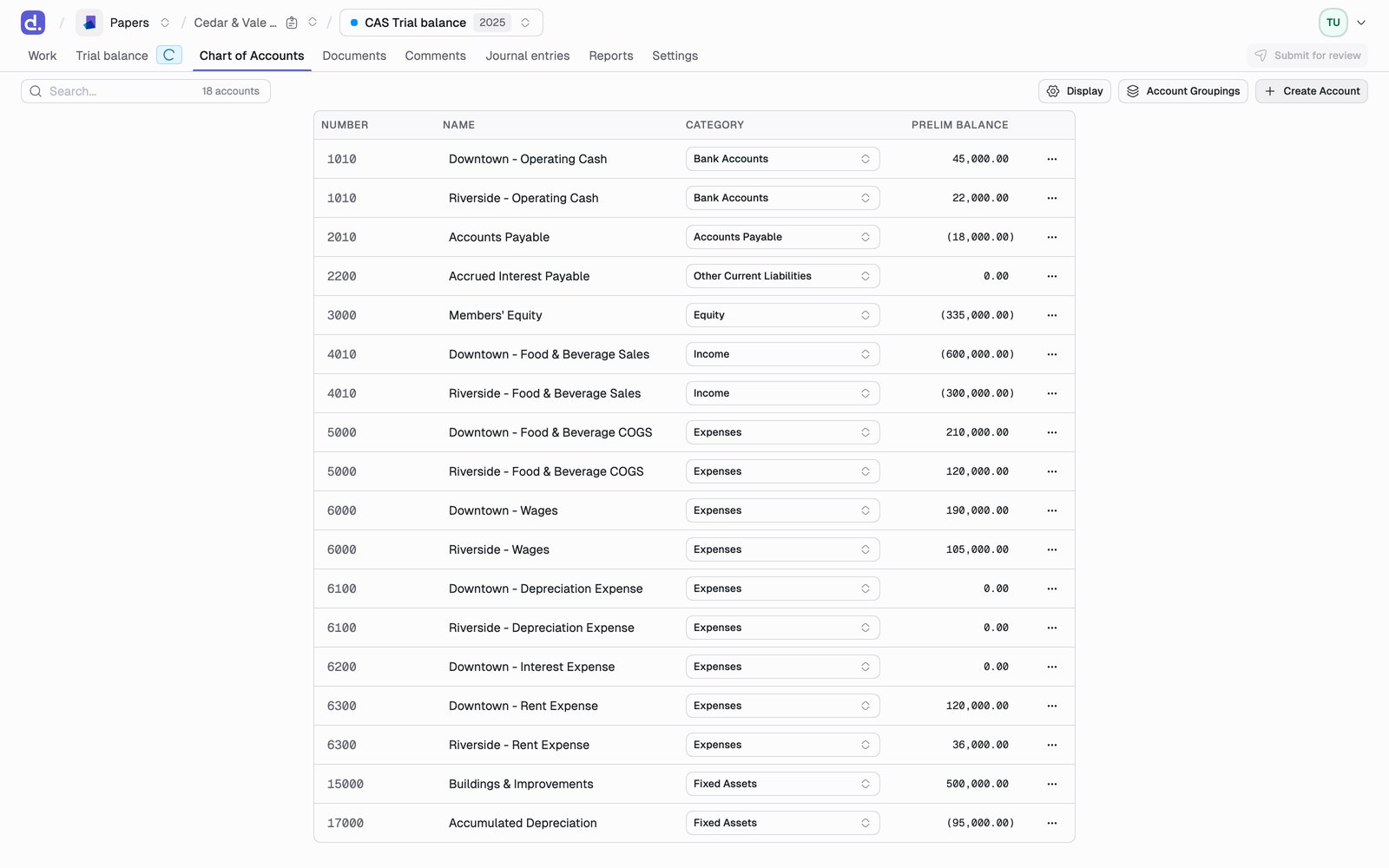
What you can edit
Number and Name are separate columns and sort independently, so you can order the sheet by account number or alphabetically by name without one fighting the other.
System lines (Net Income, and the M-1, M-2, M-3 and Tax Adjustments rows) appear in the grid but are not editable, not selectable, and carry no row menu. They are produced by the binder rather than maintained by you.
Account Mapping is the one worth a firm-wide convention. It lets you standardize an account across every client and entity, which is what makes mapped financials work.
Correcting a prelim balance
Hover the Prelim balance cell and click the edit icon. A correction takes a memo, and it can be reverted back to the imported figure at any time. A corrected figure is marked in the grid with a dotted amber underline. Hover it to see the original value, the memo, and who last changed it, so a reviewer can tell at a glance which balances no longer match what came in from the import.A correction is not a journal entry. It rewrites what the import brought in,
and it is deliberately excluded from the adjusting journal entry reports. Use
a correction when the imported number was wrong. Use a journal
entry when the number was right and the books need
to change.
Adding an account
New account takes Number, Name, Category, Prelim balance, and, on a tax binder, a Tax mapping. A new account can carry an opening balance directly, so you do not have to create it flat and then post an entry against it. Accounts with a prior year balance cannot be deleted, and the row menu tells you why when a delete is blocked. Zero-balance accounts can be deleted freely.Tax mappings
On a Tax binder, accounts also carry a tax mapping: the form, section, and line of the return the balance belongs to. Assign it from the tax mapping combobox on the account. Denari suggests one for most accounts. Select several accounts and the bulk tax mapping picker applies one mapping to all of them at once, which is the fast way through a long list of similar expense accounts. This is a different field from Account Mapping above. Account Mapping drives mapped financials; the tax mapping drives the UltraTax CS export. For how mappings are scoped and how the suggestions behave, see Tax trial balance.Ignore accounts
Two ways, both from the Trial balance tab:- One account:
...on the row, then Mark as ignored - Several: tick their checkboxes, then Ignore lines
Tick marks
Tick marks are the annotations you’d otherwise pencil in the margin. Click the tick mark icon on a trial balance row and pick one or more.
Tick marks can travel with your exports. Turn on Include tick marks when you export the trial balance.