

Your firm needs to have the Denari Papers component enabled in order to use
it. If you can’t see Papers in the product switcher and have questions, please
contact the Denari or IT admin at your firm.
Two shapes of binder
Almost everything in Papers follows from which of these you picked when you created the binder.
A workpaper-only binder is the same product with the accounting tabs hidden. If you don’t need to tie out a balance, you don’t carry the machinery for it. See Create a binder.
The arc of an engagement
Papers is built around one loop, and every page in this section is a step in it.1
Start the binder
Create it fresh, or roll forward last period’s so
its documents and folder structure come with it.
2
Bring in the numbers
Import the trial balance from QuickBooks Online, or
from a CSV or Excel file.
3
Bring in the support
Upload workpapers, or pull reports straight from
QBO without leaving Denari.
4
Tie it out
Reconcile each account against its support. Denari
AI suggests the match; you approve or correct it.
5
Adjust
Post journal entries and fix accounts in the
chart of accounts.
6
Review
Comment, approve, then submit for
review.
7
Deliver
Export financials, the trial balance, journal
entries, or the whole document set.
Learn it in seven steps
The binder workspace
The tabs, the header, and what each one is for.
Find your work
Filters, Just For Me, and saving the view you live in.
Create a binder
Every field, and what picking a type commits you to.
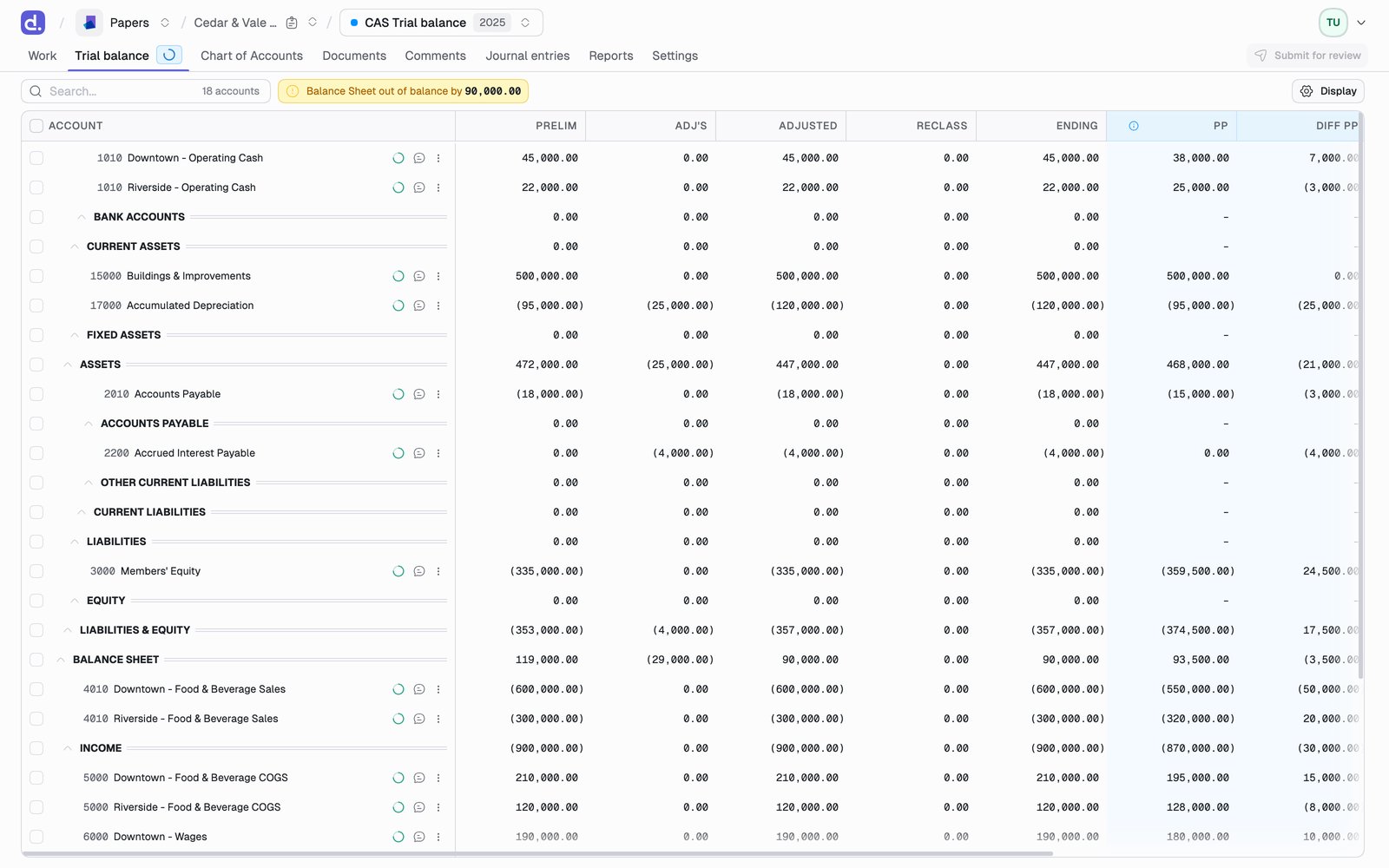
The trial balance
Import it, then read the grid that everything else hangs off.
Reconcile an account
The AI tie-out, and how to make it work for you.
Journal entries
Adjust, reclass, eliminate, and sync back to QBO.
Submit for review
The preparer/reviewer handoff.