

The board
Each deal is a card in a stage column.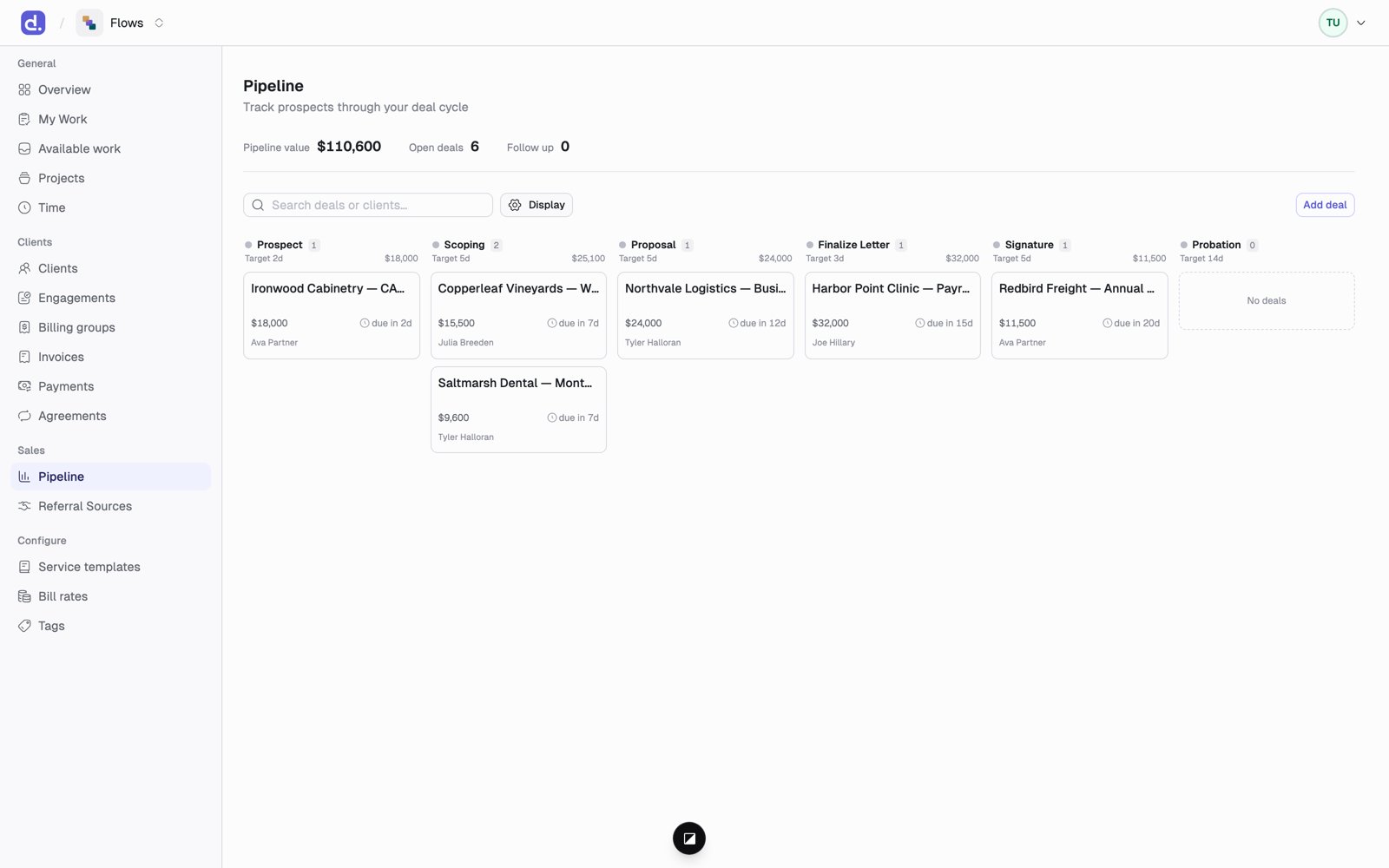
- Drag a card to move it to another stage. Each stage has its own checklist.
- Cards show when they’re due. A card is flagged Follow up when it’s near the end of its time in a stage, or overdue.
- The top of the page shows Pipeline value, Open deals, and Follow up counts.
- To close a deal you didn’t win, drop it on Lost or Cancelled and add a reason if you like.
Your firm’s stages and their checklists are configurable. Flows ships with
Prospect → Scoping → Proposal → Finalize Letter → Signature → Probation,
each with its own target number of days.
Add a deal
Click Add deal and fill in the name, the client (or leave it as a raw lead), the lead, who referred it, the expected value, the expected close date, and the probability.From deal to engagement
Open the deal and click Create engagement (admins only). The engagement wizard opens with the client filled in. When that engagement is activated, the deal is marked Won on its own.Referral sources
Referral Sources keeps track of the people and channels that send you business.- A source is either a COI (center of influence, such as an attorney, banker, or financial advisor) or Other (such as an event, a marketing channel, or an inbound lead).
- Each source has a status: Active, Dormant, or Inactive.
- A source’s page lists Referrals from this source: every deal credited to it.