

The header
Above the tabs sits the binder’s identity: client group, client entity, binder type, and period, as a row of dropdowns. Each one is a switcher, not just a label. Use them to jump to another period or another binder for the same entity without going back to the list. On the right are the binder’s assignees and the Submit for review button. See Submit for review.The tabs
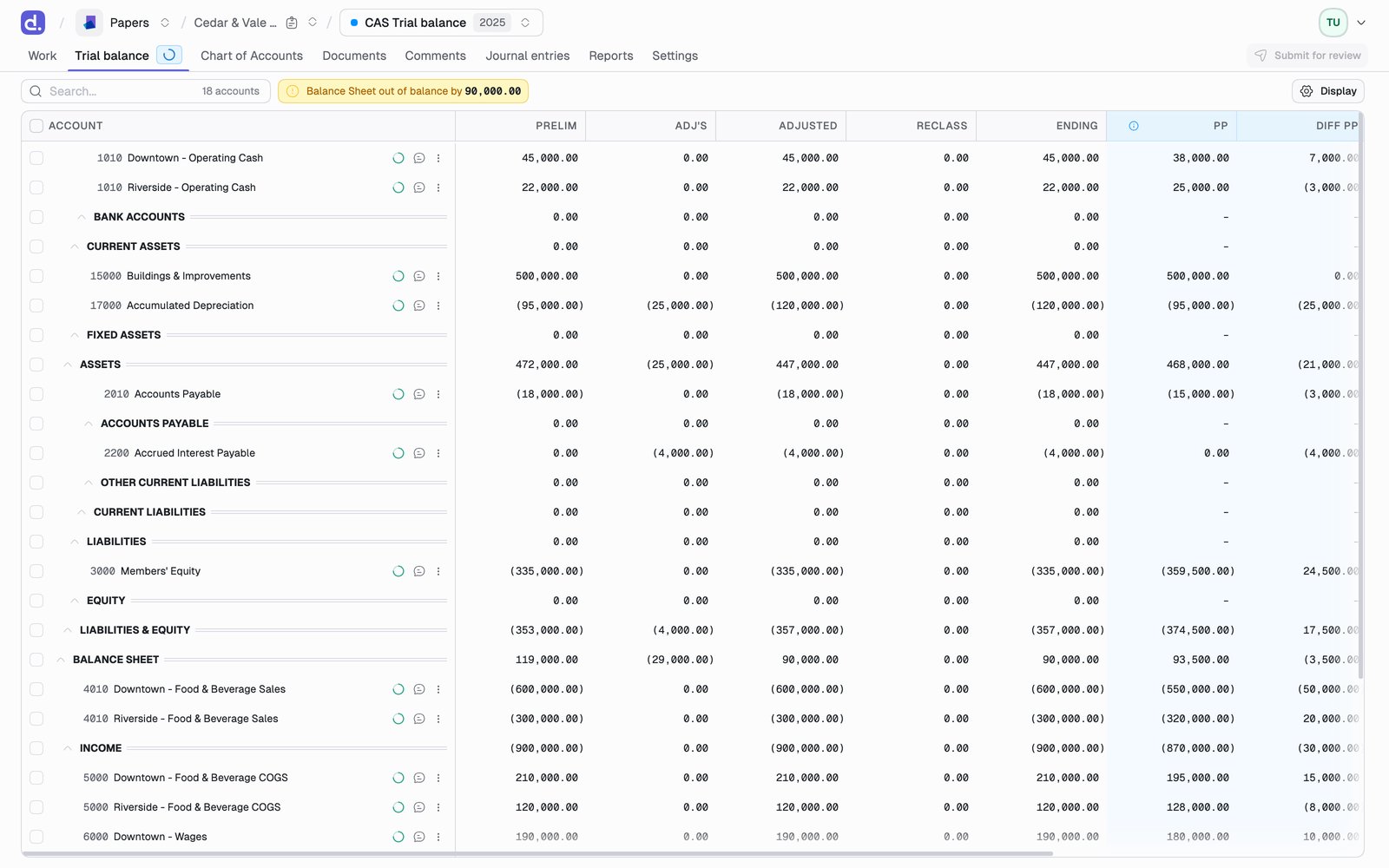
Work, Transactions, and Reports are behind feature flags, so your firm may not have them yet. Work sits first when it is on, because it is the list of what the binder still needs.
Switching views of the trial balance
On a trial balance binder, Go to at the top right of the grid moves between the views of the same numbers:- Standard Trial Balance
- Tax Trial Balance, on tax binders. See Tax trial balance
- Consolidated Trial Balance, when the entity has subsidiaries. See Reports
Working alongside other people
A binder is not a single-seat document. Denari keeps what you’re looking at current without asking you to reload.
Two tabs on the same binder stay in step, so you can keep the trial balance open in one window and a workpaper in another without one going stale behind the other. Signing out in any tab signs you out of the rest.
Trial balance tables refresh themselves while they are visible. A tab in the
background stops polling and catches up when you return to it, so a window you
left open overnight doesn’t sit there re-querying.